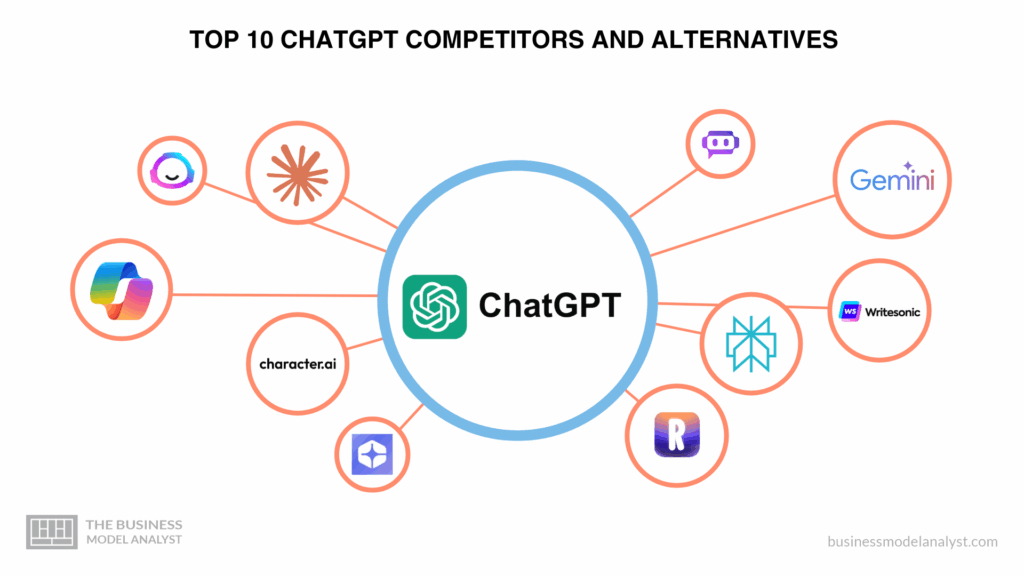

ChatGPT, developed by OpenAI, is one of the most popular AI chatbots and conversational AI platforms, widely used for tasks like customer support, content generation, coding help, and business productivity. However, many businesses and individuals are exploring ChatGPT competitors and alternatives due to factors like pricing, feature limitations, integration needs, or compliance concerns. This guide explores why users might seek alternatives and reviews the top 10 best options available today.
Why Consider Alternatives to ChatGPT?
- Pricing structure: ChatGPT Plus and enterprise plans may feel expensive for some teams.
- Customization limits: Limited fine-tuning or model control compared to competitors.
- Compliance & data privacy: Certain industries require stricter data handling guarantees.
- Integration needs: Not all third-party apps, CRMs, or workflows connect seamlessly.
- Feature coverage: Some rivals offer multimodal AI, voice, or deeper industry-specific tools.
- Support & scalability: Enterprise users may need dedicated SLAs, faster response times, or regional deployment.
While ChatGPT is powerful and versatile, these considerations drive many users to look at the broader conversational AI market.
The 10 Best Competitors and Alternatives to ChatGPT
Claude (Anthropic): “Ethics-first, safe conversational AI”
Claude is a family of large language models developed by Anthropic, designed with a “constitutional AI” philosophy that emphasizes safety, alignment, and predictable behavior. It is often positioned as a strong alternative to ChatGPT because it aims to reduce hazards like disallowed content, hallucinations, or toxic outputs via stricter guardrails.
Users who are particularly concerned about AI alignment, content safety, or stable behavior may prefer Claude. Because of its more conservative output policies, it may reduce the likelihood of “wild” or offensive responses that some find in more open generative models. At the same time, it still handles a wide variety of tasks—text generation, summarization, reasoning, code, etc.
Standout features
- Multiple model tiers (e.g. Haiku, Sonnet, Opus) to balance cost, quality, and speed.
- High context windows (hundreds of thousands of tokens) for longer document processing.
- Safety & alignment focus by design (less “jailbreaking” risk).
- Claude Code: ability to interact with tool-use, APIs, code execution, and “extended thinking” workflows.
- Enterprise features: SSO, domain-level controls, audit logs, usage quotas.
Pricing (starting point)
- Free tier: available, with limited usage and access.
- Claude Pro: ~$20/month (or $17/month if billed annually) for increased usage, more models, connectors and extended context.
- Max plan: $100 or $200 monthly options with 5× or 20× usage of Pro, for power users.
- Team / Enterprise: per-seat pricing for group access, centralized management, and advanced features.
- API pricing: usage-based, per million tokens, depending on model (e.g. Sonnet, Opus)
Best for (persona / segment)
- Organizations or individuals needing strict alignment, auditability, and safe behavior.
- Workflows involving long documents, agents, or combined tool usage (e.g. APIs, workflows).
- Teams needing enterprise controls, logging, or compliance.
Trade-offs / drawbacks
- The conservative safety constraints sometimes lead to refusals or more cautious answers even when less restrictive models would generate something acceptable.
- For the same prompt, in some cases it may produce more muted or sanitized output (less “creative flair”).
- In certain niche use cases or bleeding-edge tasks, the output quality may lag behind very aggressive models.
- Pricing for heavy usage (e.g. via the Max plan) may become significant.
Google Gemini (formerly Bard): “Search-native, Google-centric AI”
Google Gemini is Google’s conversational AI platform (successor to Bard) built on its in-house large language models. It’s tightly integrated with Google’s ecosystem—Search, Gmail, Docs, Drive, and more.
If your workflows are heavily centered around Google tools and web-based knowledge, Gemini provides natural synergy and better context leverage from Google Search and your own data. Because it’s built and maintained by Google, updates and continuity in search integration are core advantages.
Standout features
- Deep integration with Google Workspace: Gmail drafting, Calendar scheduling, Docs editing, file suggestions.
- Up-to-date web access and real-time search capabilities given Google’s infrastructure.
- Multimodal capabilities (text, image, video) in some versions.
- Familiar UX/brand trust given Google’s dominance in search.
- The “Gemini Live” voice assistant mode: conversational, multi-turn dialogue, possibly voice-first interactions.
Pricing (starting point)
- Many features are free or embedded in Google One premium tiers.
- Google may offer “Gemini Advanced” or paid tiers (as they have in some markets).
- Some advanced or business features may require enterprise licensing (Google for Business).
Best for (persona / segment)
- Power users of Google products (Docs, Gmail, Drive) who want AI seamlessly built into their existing workflow.
- Users who prioritize up-to-date factual knowledge and search-based reasoning.
- Organizations in Google Workspace environments.
Trade-offs / drawbacks
- Because of the tight safety and policy controls, output may sometimes be constrained or more “safe” than an unconstrained model.
- Integration features may vary by region or rollout status.
- For non–Google workflows (e.g. Microsoft-centric environments), the integration advantage is weaker.
- Pricing structure (when you scale) may become complex or less transparent.
Microsoft Copilot: “Office-powered AI assistant”
Microsoft Copilot is Microsoft’s umbrella AI assistant, integrated across its ecosystem—Bing Chat, Microsoft 365 (Word, Excel, PowerPoint, Outlook), Windows, and more. Copilot uses models like Microsoft’s “Prometheus” (a variant built atop GPT-4) and layers in web access, document context, and enterprise controls.
If your productivity and document workflows are rooted in Microsoft’s stack, Copilot gives a native integration advantage (e.g. drafting in Word, summarizing emails, generating analysis in Excel). It reduces friction by working directly within tools users already use daily.
Standout features
- Copilot Chat: conversational AI embedded in Microsoft 365, summarizing documents, extracting insights, brainstorming content.
- Agent/assistant models: Microsoft now supports “agents” (automated workflows) coexisting inside Copilot for task orchestration.
- Document and file context: Copilot can pull from your email, files, calendar, and chats when permitted.
- No-code customization: Copilot Studio allows building custom copilots/chatbots using trigger phrases or data sources inside the Microsoft ecosystem.
- Enterprise-grade controls: governance, compliance, data access policies, tenant-wide settings.
- Freemium model: core features are included with many Microsoft 365 licenses.
Pricing (starting point)
- Copilot Chat basics: included in many Microsoft 365 Business / Enterprise subscriptions at no additional cost.
- Premium Copilot / full Copilot features: part of add-on licensing or upgraded plans beyond the base license.
- Custom agent usage may incur pay-as-you-go fees beyond the base offering.
Best for (persona / segment)
- Enterprises and teams entrenched in Microsoft 365 who want AI built into their document and email workflows.
- Users wanting to automate tasks across Word, Excel, Teams, Outlook without switching context.
- Organizations needing enterprise-level controls, compliance, identity integration, and auditability.
Trade-offs / drawbacks
- Power might be limited in non–Microsoft contexts (less strong in open-domain creative use).
- Because it is tied to Microsoft’s ecosystem, users outside of it may get less benefit.
- Some advanced agent or copilot features may require additional paid licensing or complexity.
- As with any integrated AI, restrictions or guardrails (security, privacy) may limit certain capabilities.
Perplexity AI: “Search-first, citation-aware conversational search engine”
Perplexity AI is an AI-based conversational search engine that blends generative AI with real-time web retrieval and citations. It aims to answer queries with sourced evidence and a clean interface.
Where ChatGPT often outputs freeform responses without source context, Perplexity shines in tasks requiring factual accuracy, transparency, and up-to-date knowledge. For research, fact-checking, or exploring unknown topics, its citation-first style is a strong differentiator.
Standout features
- Inline citations and references (links to source web pages).
- Hybrid model + search: integrates retrieval from the web as part of its response pipeline.
- “Copilot” mode: step-by-step guided exploration and multi-step queries.
- Clean UX, clarity in evidence.
- Free tier with limitations; paid plan for advanced use.
Pricing (starting point)
- Free plan: available, but with capped usage or slower responses.
- Perplexity Pro: ~$20/month (or ~$200/year) unlocking image upload, more queries, faster responses.
Best for (persona / segment)
- Researchers, journalists, students needing trustworthy sources and citations.
- Users who demand verifiable statements (e.g. in content writing, reporting, knowledge work).
- Anyone frustrated by hallucinations or non-referenced claims in generative models.
Trade-offs / drawbacks
- Less optimized for creative writing, narrative or storytelling tasks (vs models fine-tuned for that).
- Response speed may lag in some cases, particularly with web retrieval.
- For code, long-form generation, or very domain-specific tasks, it may not match a full LLM.
- Paid version might offer only modest gains vs free version, depending on usage patterns.
Jasper AI: “Marketing- and copywriting-oriented content powerhouse”
Jasper (formerly Jarvis) is an AI writing assistant tailored for marketers, copywriters, agencies, and content creators. It combines generative models with templates, workflows, SEO tools, and brand voice controls.
While ChatGPT is general-purpose, Jasper provides refinement and domain tools for content creation: marketing copy, blogs, ad text, social posts — often with more out-of-the-box structure and workflow tools to streamline content pipelines.
Standout features
- Predefined templates (blog intros, email subject lines, ad copy, social media hooks).
- “Brand voice” settings so output aligns with tone/style.
- Built-in SEO optimization, keyword suggestions, bulk generation workflows.
- Collaborative workflows, team sharing, version control features.
- Integration with content management systems and publishing pipelines.
Pricing (starting point)
- Jasper offers tiered plans; specifics vary by region and feature bundles. (Users should check current rates.)
- Typical entry-level plans allow modest usage; higher tiers include team seats, more words, faster output.
Best for (persona / segment)
- Marketing teams, content agencies, bloggers, and solopreneurs focused on high-volume content production.
- Users who want to streamline the repetitive parts of writing (outlines, copy drafts, repurposing).
- Teams that benefit from consistency in voice and brand alignment.
Trade-offs / drawbacks
- Less flexible for highly technical or non-marketing writing — sometimes you must guide the model.
- It may not produce as innovative or “creative” outputs as a more free generative model in certain contexts.
- Costs can grow quickly for high-volume content.
- The dependence on its writing workflows may lock users into its ecosystem.
Writesonic: “Flexible AI content suite combining GPT and proprietary models”
Writesonic is a broader AI writing and content automation platform that supports multiple models (including GPT-based ones) and a variety of content formats: blog posts, ads, emails, rewriting, brainstorming, etc.
Writesonic gives users flexibility to pick models, balance cost vs quality, and access writing utilities and content workflows not present in vanilla ChatGPT. It’s more “toolbox + content engine” than pure conversational AI.
Standout features
- Variety of creative and long-form writing modes (from short ad text to long articles).
- AI rewriting, paraphrasing, summarization.
- Content expansion (turn bullet points into full text).
- Model switching (you can select which underlying engine).
- API access and automation features for content pipelines.
- Plugins, extensions to integrate into CMS or marketing platforms.
Pricing (starting point)
- Free or low-tier option with limited generations.
- Paid plans scale by word quota, features unlocked, model access. (Exact pricing is region-dependent.)
- Enterprise/agency plans available for high-volume needs.
Best for (persona / segment)
- Content creators who want to flexibly scale writing without being tied to a single model.
- Marketing teams juggling multiple content types (ads, blogs, emails).
- Users wanting a mix of generative AI plus editing/expansion tools.
Trade-offs / drawbacks
- Because it supports many modes, performance may vary by task and model.
- For highly technical or domain-specific content, it’s often necessary to guide or correct outputs.
- High-volume usage may lead to significant costs.
- It may lack the depth or sophistication of the top-tier LLMs in some reasoning tasks.
Character.AI: “Personality-driven conversational agents”
Character.AI is a platform where users can interact with or create AI “characters” — conversational personalities with unique voices, styles, and knowledge domains. It’s more oriented toward dialogue, storytelling, roleplay, and engagement than pure task-based generation.
When your goal is interactive, engaging dialogue (e.g. chat companions, tutoring, fiction, entertainment), Character.AI’s persona framing and conversational continuity shine. It offers a more immersive, character-rich experience.
Standout features
- Custom character creation: define backstory, constraints, behavior.
- Persistent memory (characters can “recall” past interactions).
- Rich dialogue — multi-turn, emotional or playful modes.
- Community-shared characters and templates.
- Flexible prompts: characters can be tuned, forked, or adjusted.
Pricing (starting point)
- Basic access is free.
- Paid “Plus” or “Pro” tiers unlock more conversations, priority access, character limits, etc.
- Some special or “boosted” characters may be behind paywalls or access tiers.
Best for (persona / segment)
- Users seeking entertainment, companionship, or creative conversational experience (e.g. writers, roleplayers).
- Applications like chat-based tutoring, interactive storytelling, or custom bots with character.
- Projects that value personality and continuity as much as correctness.
Trade-offs / drawbacks
- Less optimized for structured tasks like summarization, code, or analytics.
- Character-driven responses may sometimes wander or prioritize style over precision.
- Memory may drift or introduce contradictions over long interactions.
- Scaling or business usage needs may require custom infrastructure or consideration of cost/limits.
You.com / YouChat: “Modular AI + search interface”
You.com (often via its chat interface, YouChat) is a modular AI/search hybrid platform, combining conversational AI, search results, applets, and snippets into a unified interface. Users can ask queries, get AI-generated answers, and see relevant web results side by side.
You.com aims to blur the boundary between AI generation and search. If you frequently switch between “ask GPT” and “search web,” the integrated experience is appealing. Also, its modular plugins and applets allow performing multiple utility tasks (dictionary lookup, web search, summarization) in one UI.
Standout features
- Mixed output: AI response + web result side by side.
- Plugin/app architecture: you can mix modules (code run, web search, translation, etc.).
- Privacy-oriented focus / optional anonymity in some modes.
- Open and extensible: users can build modules or connect apps.
- Interactive & responsive interface that balances generative output with web-based fact check.
Pricing (starting point)
- Base use is free.
- Premium / pro tiers unlock more modules, higher quotas, speed, or priority.
- Some plugin access or app module usage may require purchase.
Best for (persona / segment)
- Users who frequently blend search and generative tasks (research + content).
- People who want plugin-style modularity: pick the tools you need.
- Users who want some privacy control in their AI interactions.
Trade-offs / drawbacks
- Because responses must balance AI and search, some generative creativity may be muted.
- Plugin ecosystem quality varies; modules may have maintenance or reliability issues.
- For highly open-ended tasks, the interface may feel constrained.
- Scaling premium features or custom modules may require technical setup.
Replika: “Personal AI companion & conversation partner”
Replika is an AI platform designed to be a conversational companion, often with emotional depth, personality, memory, and relationship-building features. It is less focused on productive or enterprise tasks and more on interpersonal interaction.
When the goal is companionship, reflective conversation, or mental wellness interactions (journaling, venting, emotional support), Replika offers features built around relationship and memory rather than tasks. It appeals to users wanting a “friend-like” AI rather than a tool.
Standout features
- Memory and continuing context: the AI “remembers” past conversations in order to mimic ongoing relationships.
- Personality customization: choose temperament, interests, topics, etc.
- Emotional support modules: journaling prompts, mood tracking, reflective dialogue.
- Voice & avatar modes in some versions.
- Casual chat modes, roleplay, creative dialog.
Pricing (starting point)
- Basic version: free or lower-tier access with limit on conversation depth or memory.
- Premium / Pro tiers: unlock more memory, rich modalities (voice, image), emotional modules, priority response.
- Some one-time purchases or subscription upgrades for “core memory” features.
Best for (persona / segment)
- Users seeking a conversational, emotional AI agent rather than a utility tool.
- Use cases like journaling, companionship, mental wellness (with awareness of limitations).
- Experimentation, creativity, or emotional reflection rather than factual work.
Trade-offs / drawbacks
- Not optimized for serious knowledge, coding, analytics, or business tasks.
- Risks of over-personification or emotional reliance—must be used responsibly.
- Memory consistency can drift; responses may repeat or deviate.
- Premium features may be required for deep personalization, which can add cost.
Quora Poe: “Hub for multiple AI models under one roof”
Poe (Platform for Open Exploration) by Quora is a central interface that lets users access multiple AI models (e.g. different GPT incarnations, Claude, others) in one place. Instead of switching between apps, you choose the model suited to your task.
Poe aggregates many AI models under one UI, so you can compare outputs and pick the best one for your prompt. It reduces the friction of hopping between different AI services. For users exploring multiple model behaviors, this is valuable.
Standout features
- Multi-model access: try different LLMs on the same prompt to compare.
- Unified billing, UI, and session history across models.
- Prompt routing: Poe can suggest which model is ideal for certain tasks.
- Feedback and voting system, communal knowledge about which model performs best for certain queries.
- Some models may be prioritized or boosted via Poe’s platform.
Pricing (starting point)
- Base/Free access: limited usage, access to standard models.
- Paid tiers: unlock premium or high-performance models (e.g. latest versions), faster responses, more usage.
- Possibly consumption-based costs for model usage.
Best for (persona / segment)
- Experimenters, AI developers, researchers who want to compare model behavior.
- Users wanting a “Swiss Army knife” interface to many AIs without managing multiple accounts.
- People testing which model fits best before committing to a full subscription.
Trade-offs / drawbacks
- Each model’s power is still bound by its own limits; Poe is a wrapper, not a model itself.
- Sometimes Poe’s model support or models available may lag behind direct access to those models.
- Performance or speed may suffer if many models are loaded or switching contexts.
- Underlying model pricing or limits might mirror direct access costs (i.e. you’re still paying model costs through Poe).
Conclusion: Choosing the Best ChatGPT Alternative
ChatGPT remains a leader in the conversational AI space, but alternatives like Claude and Gemini shine for safer AI principles or search integration, while tools like Jasper and Writesonic excel in marketing and content use cases. The “best” alternative depends entirely on your priorities—whether that’s affordability, data privacy, creative use, or enterprise-grade productivity. Carefully weigh your needs before committing to a platform.
Is there a free alternative to ChatGPT?
Yes! Platforms like Perplexity AI and You.com offer free plans with generous usage.
Which ChatGPT alternative is best for business?
Microsoft Copilot integrates deeply with Office 365, while Jasper focuses on marketing content.
Which ChatGPT competitor offers the most accurate information?
Claude and Perplexity are known for high accuracy, citation transparency, and reliable outputs.
What’s the cheapest ChatGPT alternative?
Writesonic and Poe provide budget-friendly access to multiple AI models.
Can ChatGPT alternatives be customized for specific industries?
Yes! Enterprise AI providers like Anthropic (Claude) and Jasper offer customization and industry-specific workflows.